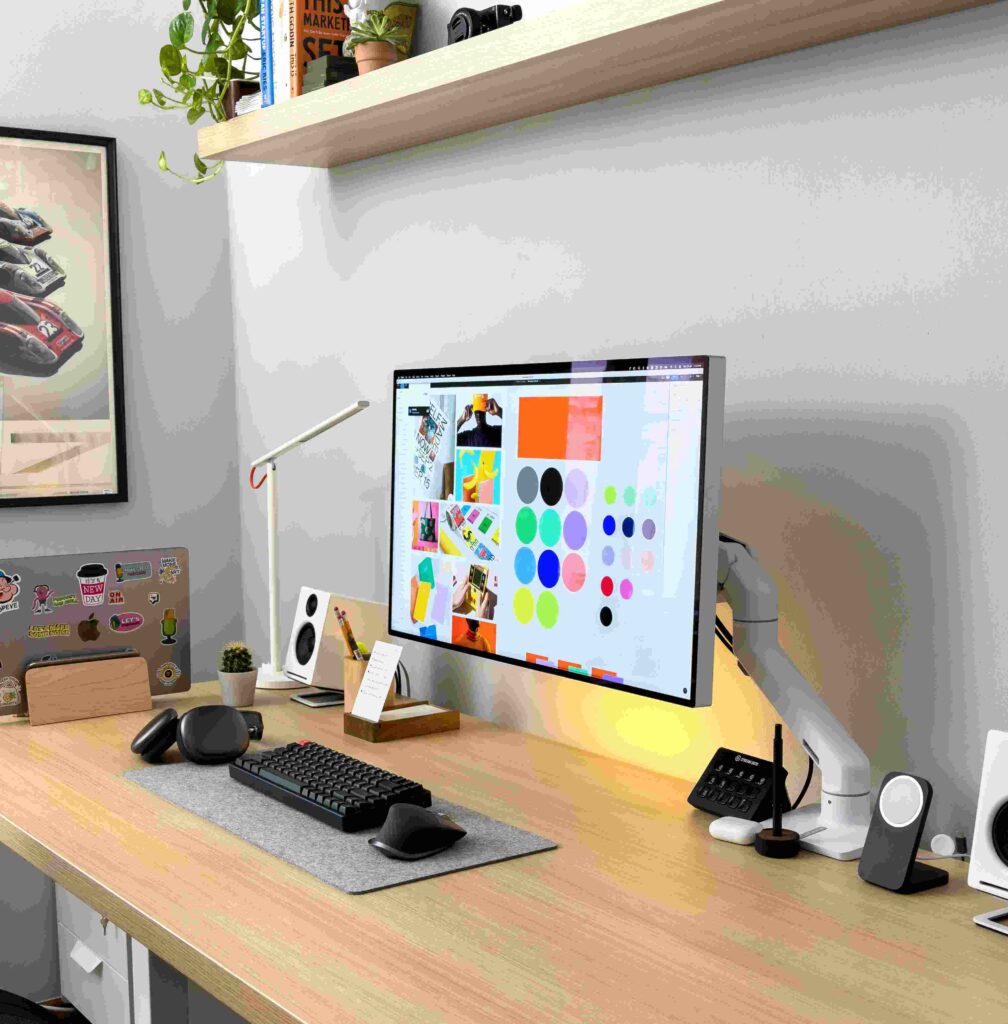
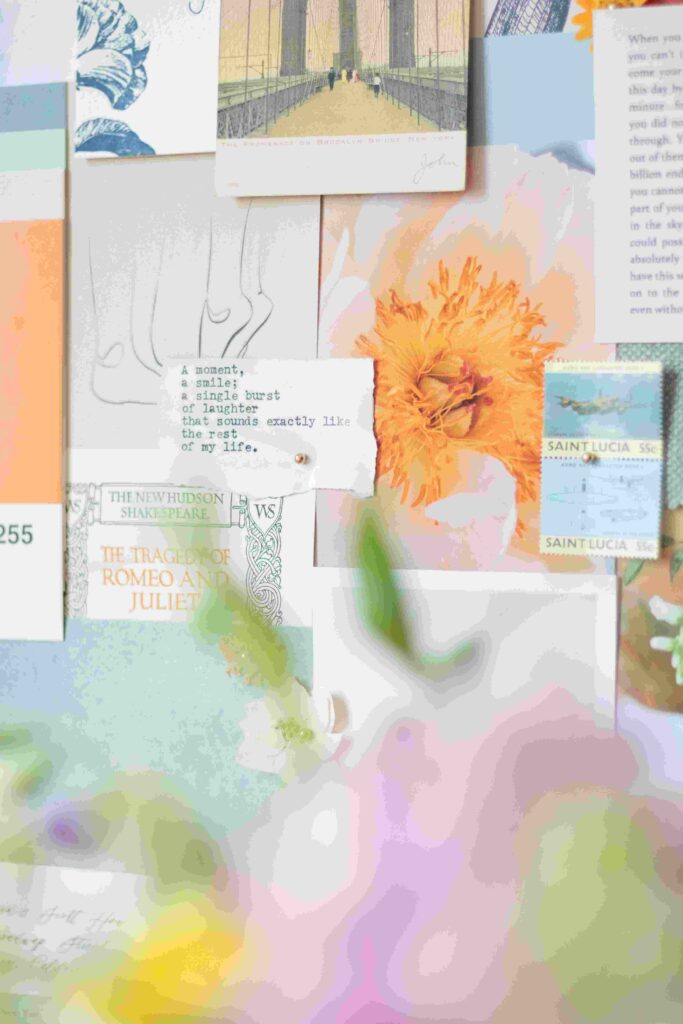
Creating a mood board used to demand hours of manual sourcing — hunting images, matching colors, and arranging textures into a cohesive visual story. Today, AI has fundamentally changed that creative process, making design more accessible than ever.
An ai moodboard generator acts as both tool and collaborator — transforming scattered inspiration into polished boards with structured layout, helping designers, marketers, and creatives visualize direction before a single decision is finalized.
What Is AI Moodboard Generator Free
Practitioners already know that mood board creation used to demand hours of manual sourcing. An ai moodboard generator free workspace changes that entirely — it lets creative professionals upload inspiration images, extract color palettes, and capture vision within seconds, without touching a single design tool manually.
What makes this different is how the ai-powered engine doesn’t just generate random visuals — it analyzes uploaded references to communicate aesthetic direction, building cohesive digital boards that reflect a brand’s actual look and concept intelligently.
Mood Board Generator
Create stunning AI mood boards for any space — explore colour palettes, textures, styles and design proportions all in one place
AI Mood Board Generator
Choose your space, design style, colour mood and key textures to generate a stunning mood board visual instantly.
Create a free account to generate and save unlimited mood board visuals.
Eight curated palettes built for mood boarding — each with a clear emotional direction and suggested material pairings.
Grounded · Organic
Warm Earthy Sanctuary
Terracotta, rust, sand and raw clay. Pair with natural limewash walls, linen textiles, unglazed ceramics and aged timber. This palette makes every space feel connected to the earth and deeply human.
Serene · Nordic
Cool Nordic Calm
Soft powder blue, icy grey and white — the Scandinavian palette that has defined a decade of interior design. Pair with blonde timber, sheepskin, concrete and matte white ceramics for a restful, collected aesthetic.
Opulent · Dramatic
Moody Jewel Tones
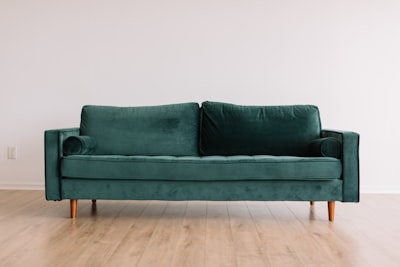
Deep emerald, sapphire, plum and gold. The palette of dark, rich interiors that photographs beautifully and rewards slow living. Pair with velvet upholstery, antique brass, gilded frames and aged leather.
Restorative · Natural
Fresh Biophilic
Sage, moss, warm cream and honey timber. The biophilic palette for spaces that heal as much as they impress. Pair with living plants, rattan, unbleached linen, raw oak and hand-thrown terracotta pottery.
Fearless · Eclectic
Maximalist Eclectic
Rich, unrestrained and unapologetically bold — the maximalist palette demands pattern-on-pattern, layered textiles and collected objects from every era. More is always more. Restraint is for other rooms.
Refined · Timeless
Monochrome Modern
Pure tonal black, white and five shades of grey. When executed with texture — matte plaster, gloss lacquer, concrete, brushed steel and wool boucle — a monochrome palette delivers more visual depth than almost any colour combination.
Bleached · Relaxed
Coastal & Bleached
Bleached white, driftwood grey, sea glass and salt-washed linen. The Australian coastal palette at its most effortless — weathered, sun-bleached and completely unpretentious. Pair with raw timber, jute, shell and woven baskets.
Glamorous · Geometric
Art Deco Luxe
Jet black, champagne gold and ivory — the Art Deco trilogy. Geometric brass inlays, lacquered surfaces, sunburst mirrors and sculptural lighting complete a palette that makes every space feel like a 1930s penthouse.
Design Style Quiz
Answer 4 questions to discover your true interior design personality and ideal mood board direction.
You walk into your dream space. What's the first thing you notice?
Which best describes your approach to shopping for your home?
Which room makes you stop scrolling on Instagram?
What single word describes your ideal home's personality?
Design Project Budget Planner
Typical interior design and styling project costs in Australia — from a DIY room refresh to a full professional home design.
Full installation & project management$8,000–$25,000
Estimated Total$120,000 – $500,000+
Design Proportion Calculator
Enter your room dimensions and key details to get perfectly proportioned recommendations for furniture scale, art sizing, rug dimensions, curtain height and more.
Good interior design is fundamentally about proportion — the right-sized rug, the correct height for artwork, curtains that make ceilings soar. This calculator applies the golden ratios used by professional interior designers to your exact room dimensions.
Your Design Proportion Guide
Designer Proportion Rules of Thumb
Rug size (seating area)60–75% of the seating zone floor area
Sofa artwork height60–75% of sofa width, hung 20–25 cm above
Curtain drop (full length)Floor-to-ceiling or 1–2 cm from floor
Coffee table width½ to ⅔ of sofa length
Mirror size (above console)75–80% of console width
Plant quantity (per room)1 large + 2 medium per 15 m² (moderate)
Cushion count (3-seat sofa)5 cushions: 2 × 60 cm, 2 × 50 cm, 1 × lumbar
Mood Board & Design Tips
Expert advice for creating mood boards and translating them into spaces that genuinely work.
🎨
Start With a Feeling, Not a Colour
The most powerful mood boards begin with an emotion — calm, energised, cosy, dramatic — not a specific shade. Once you know how you want to feel in the space, the right colours, materials and objects will follow instinctively. Ask "how does this room need to make me feel at 7am and 10pm?" before choosing a single paint chip.
📐
The 60-30-10 Colour Rule
Sixty percent of a room should be one dominant colour (walls, large sofa, floor), thirty percent a secondary colour (curtains, armchair, rug) and ten percent an accent (cushions, artwork, vase). This ratio works in every style from minimalism to maximalism — it's the proportion that the eye reads as balanced.
🪨
Layer at Least Five Textures
A room that uses only one material — all smooth, all rough, all soft — feels flat regardless of the colour palette. Mix at minimum five tactile surfaces: something hard (stone/timber), something soft (linen/wool), something shiny (glass/brass), something woven (rattan/jute) and something organic (plant/ceramic). The eye reads texture as depth.
🖼️
Hang Art at Eye Level — Always
The universal rule: hang the centre of a piece at 145–155 cm from the floor — average standing eye level. Art hung above this (especially above doors and windows) disconnects from the room and the viewer. When hanging a gallery wall, treat the entire arrangement as a single piece and centre the group at eye level, not each individual frame.
💡
Three Levels of Lighting Per Room
Every room needs ambient light (ceiling), task light (reading lamp, desk light) and accent light (picture light, shelf strip, floor lamp). Rooms with only overhead lighting look flat and uncomfortable after dark. A dimmer on the overhead circuit and two lamps on the floor transforms how a room feels in the evening in under ten minutes.
🌿
The Odd Number Rule for Objects
Group decorative objects in odd numbers — one, three or five. The eye settles on even groupings and moves on; odd numbers keep attention engaged and create a visual tension that reads as intentional styling rather than random placement. For a console or shelf, three objects at varying heights always outperforms two or four.
🔍
Edit Your Mood Board to 80% Cohesion
A great mood board isn't a collection of everything you love — it's a disciplined edit. If more than 20% of the images on your board feel like outliers or don't share at least two attributes (colour, texture, mood or era) with the rest, remove them. Eighty percent coherence with 20% surprise creates beautiful spaces; 100% coherence creates boring ones.
📏
Rugs Are Almost Always Too Small
The single most common styling mistake in Australian homes. A rug that's too small floats in the middle of a room like a postage stamp. In a living room, front legs of all seating should sit on the rug — or the entire furniture grouping. A rug that's 200 × 300 cm feels small in a standard living room; 240 × 340 cm is the minimum to consider for most spaces.
🎭
One Wrong Material Breaks Everything
A single material that doesn't belong in a palette disrupts the entire room — a chrome finish in a warm brass palette, a plastic plant pot in an all-natural scheme, a synthetic cushion among handwoven textiles. Review every material on your mood board against three tests: does it share the palette's temperature (warm/cool), finish type (matt/gloss/textured) and era?
✂️
Print Your Mood Board Physical
Digital mood boards look different on screen than in real light. Print your palette at A3, pin it in the actual room you're designing and observe it over three days at different times — morning sun, overcast afternoon, evening lamp light. Colours that work on screen sometimes fail in context. Your paint chip, fabric swatch and material sample should all live on the same physical board.
⚡
The Focal Point Rule
Every room needs one dominant focal point that commands attention when you enter — a fireplace, a large artwork, a statement wall, a dramatic window view. Everything else in the room should support or frame the focal point, not compete with it. If your room has two competing focal points (a TV wall and a fireplace wall both treated equally) the room will always feel unresolved.
🏆
Invest in the Things You Touch
Spend money on what you physically interact with every day — door handles, light switches, sofa fabric, bed linen, floor surface — and save on what you only see. A $30 print in a good $80 frame looks better than a $200 print in a bad frame. Cheap cushion covers swapped every season cost less than one expensive cushion. The tactile quality of a space defines how it feels to live in.
How to Create a Moodboard
Starting a moodboard isn’t about design perfection — it’s about direction. Collect visual inspiration, describe your concept clearly, then upload 6 images that capture colors, textures, and mood into one cohesive digital canvas.
Creatives skip the early-stage brainstorming step and jump straight to drag-and-drop tools. Instead, curate abstract ideas first, then apply color swatches, fonts, and imagery — letting generative ai generate harmonious color schemes and on-brand layouts instantly.
Features
Ai moodboard tools offer surface-level outputs, but a true generator should deliver cohesive visual direction within seconds — something that actually serves designers, marketers, and creatives equally, without demanding technical expertise or elaborate workflow adjustments.
What separates capable platforms is drag-and-drop canvas functionality paired with generative ai that reads prompts, extracts color palettes, applies fonts, and assembles stunning professional visuals — turning scattered inspiration into beautifully coordinated design boards fast.
Turn Mood Board into Room
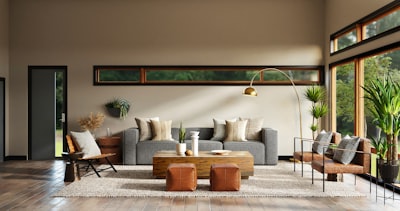
Designers who’ve spent time inside a room design workflow know that a mood board is never truly finished until it solves a spatial problem. Rather than treating color and furniture choices as abstract selections, skilled practitioners use upload capabilities to ground every decision inside actual dimensions. When photos of the existing space calculation meet curated design elements, something surprising happens: the gap between imagination and livable reality collapses into a single moodboard surface.
What separates a functioning interior concept from a decorative exercise is the fabric of specificity running through each layer. Experienced decorators don’t upload random textures; they pull swatches directly from shortlisted materials, then measure them visually against furniture pieces already under consideration. Each color decision earns its place by solving a contrast or warmth problem, not by looking pleasant in isolation. That functional discipline transforms scattered references into a spatial argument.
The real test of any room-oriented mood board is whether a contractor or client can translate it into design action without additional explanation. That means every sample carries enough visual weight to justify its presence, every room photo grounds the palette in existing light conditions, and every element speaks directly to the next. When a board achieves that coherence, it stops being inspiration and becomes instruction.
Use Cases
Graphic designers and interior decorators rely on visual collages to combine colors, textures, and style references during brainstorming sessions. Architects, marketers, and budget planners use moodboards for client presentations, project proposals, and collaborating on early concepts effectively.
Fashion creatives experiment with silhouettes, accessories, and apparel using moodboard tools for editorial and runway campaigns. Homeowners planning renovations and real estate agents preparing marketing materials leverage professional moodboards to visualize rooms and share compelling design concepts and plan remodeling budget.
Templates
Picking the right starting point often determines the entire creative outcome. With 8 curated moodboard styles — modern, minimalist, scandinavian, industrial, bohemian, coastal, mid-century, farmhouse, and luxury — designers skip blank-canvas paralysis entirely.
Each template arrives pre-loaded with color palettes, free trackres, suggested furniture, dining tables, wedding tablescape, materials, and design elements, so you’re not assembling from scratch. Select your style, generate, and a personalized design board downloads instantly, free.
AI-Powered Design Tools
Experienced designers rarely discuss how ai-driven platforms quietly redefined creative processes — not by replacing skills, but by compressing the gap between raw inspiration and professional output. Working across continents taught me one truth: the best tools don’t interrupt flow, they accelerate it.
Generative systems now handle what once demanded manually assembled stock libraries and hours of sourcing. You enter a prompt, and within seconds, a cohesive moodboard emerges — ready-to-edit, structured, and genuinely polished without requiring deep design software expertise.
What separates modern ai-powered tools from basic generators is intelligent material texture matching and automatic color palette extraction. These aren’t cosmetic features — they’re how designers, marketers, and stylists now build concrete visual direction with clarity and confidence.
Remix Content from the Community
The remix button unlocks something underrated: combining community images and style references lets you push layout structure beyond personal limits. Using sub-prompts alongside auto-generated text prompts, your selected images gain richer composition depth surprisingly fast.
Designers overlook community-driven creation, yet remix workflows fundamentally change how ideas develop. When you explore variations built on shared canvas work, the composition shifts from individual effort into collective creative momentum, accelerating every concept meaningfully.
Every generate cycle using community references teaches pattern recognition. Shared style variations expose you to unexpected composition decisions — canvas arrangements nobody individually plans, but combining auto-generated text with real images makes distinctly powerful layout outcomes possible.
Smartest AI moodboard generator
Turn Your Ideas Into Visual Masterpieces — For Free
Stop wasting hours searching for the perfect images. Our free AI moodboard generator does the heavy lifting — just type your idea, pick your vibe, and watch a stunning moodboard appear instantly. Perfect for designers, content creators, interior decorators, and anyone with a vision worth sharing.
✦ Works for fashion, interior design, branding & more
Can I customize the moodboards generated by the AI?
Yes, AI-generated moodboards are fully customizable — swap colors, designs, and images to personalize your unique creative vision.
Are the AI-generated moodboards copyright-free?
AI-generated moodboards are generally copyright-free for personal and commercial purposes, though externally sourced content must be cleared before use.
Are there more design generators available?
Beyond the AI moodboard generator, professional visuals tools include infographics, social media posts, reports, and other design tools with customizable, generators available.
What is a mood board?
A mood board is a visual layout combining images, colors, text, and textures to express a creative concept, design direction, fashion, branding, or interior design tone.
What is the best tool to create a mood board?
The best tool uses generative AI with mood board templates, stock assets, and a seamless online experience to combine creative ideas quickly.
How do I make a mood board for free?
Make a mood board free — no login, no payment. Use templates, import assets, and AI-powered tools with 10 daily free credits for professional moodboards every session.
How does the AI mood board maker use generative technology?
Generative AI powers creative flow in the mood board maker — generate visuals, remix styles, and explore compositions that help you refine ideas effectively.
How does the tool ensure proper attribution and transparency in AI-generated content?
Generative AI usage follows strict content credentials — images include attribution, source data, and transparency around training preferences so users recognize integrated information clearly.
Will my uploaded or generated content be used to train AI models?
Your uploaded or generated content is not used to train generative AI models — user privacy stays fully protected.
What design styles are available in the AI mood board maker?
Multiple design styles are available — from curated color palettes to rich furniture and materials selections.
Can I use these mood boards for commercial projects?
Yes — interior designers, architects, real estate agents, and design firms use them for client presentations, project proposals, marketing materials, and commercial projects.
What image quality does the mood board generator produce?
Outputs are high-resolution mood boards meeting industry standards — perfect for professional presentations, print materials, digital portfolios, and interior design image quality demands.