
AI Floor Plan Generator Free to Design Your Dream Home Floor
Forget everything you assumed about architectural design. An AI floor plan generator powered by intelligent systems automatically transforms rough requirements into detailed layouts — skipping manual drawing entirely and delivering professional drafts within minutes.
Spatial flow, room dimensions, walls, and furniture arrangements — modern tools now optimizes every proportions parameter intelligently. Whether tackling renovations or new spaces, accurate plans emerge instantly, making real estate and interior projects remarkably clear.
What Is an AI Floor Plan Generator?
An AI-powered tool that creates detailed floor plans from user inputs, an AI floor plan generator eliminates manual drawing entirely. It analyzes dimensions, style preferences, and special features to instantly generate comprehensive, accurate, scalable layouts for homes, offices, and beyond.
Unlike traditional CAD software with a steep learning curve, these intuitive platforms let beginner-friendly users describe a space and receive optimized, tailored designs in seconds. Architects, designers, and homeowners alike collaborate, refine, and download high-quality visualizations with remarkable ease.

HOW IT WORKS
Describe Your Space
Input your room dimensions, style, and special features — like a walk-in shower, living areas, or a retail store layout. The AI understands your spatial requirements and preferences instantly.
Generate Your Layout
The intelligent system creates a detailed, comprehensive floor plan for room in seconds. Multiple approaches and directions appear — open, closed, or hybrid — letting you review options without any manual drawing involved.
Edit, Refine and Export
Customize your generated plan using the drag-and-drop editor. Reposition walls, furniture, doors, and windows, then export in PDF, PNG, or DWG formats — ready for clients, teammates, or construction.
🪵 AI Floor Design
Design your dream floors with AI — generate flooring styles, explore colour palettes, calculate materials, budget your renovation and master flooring design
AI Flooring Design Generator
Powered by Pollinations.ai — 100% free, no account required. Every click creates a brand-new unique AI flooring design.
Choose your interior style, floor type, room
& lighting — then click Generate
Flooring Style Inspiration
Browse real flooring photography before generating your own AI design


Floor Colour Palette Studio
Generate beautiful flooring colour schemes — floor tone, wall colour, skirting & furniture pairings
Find Your Floor Style
Answer 6 quick questions to discover the perfect flooring for your home and lifestyle
Flooring Renovation Budget
Get an itemised cost estimate for every flooring project — from a single room refresh to a whole-home transformation
Floor Area Calculator
Calculate floor area, boards or tiles needed, underlay, adhesive and skirting board lengths for up to 3 rooms
Flooring Design Tips & Advice
Expert guidance for choosing, installing and maintaining every type of flooring in your home
Unlock Full Access
Sign in or create a free account to generate unlimited AI floor designs
You'll be brought straight back here after signing in ✓
No credit card needed · Free forever
Key Features
AI Floor Plan Recognition
- Upload an image in JPEG, JPG, or PNG format
- Automatically detects spatial boundaries from the uploaded image
- Converts rough sketches into accurate digital versions
- Produces results with precise, reliable measurements
Customizable Layout Styles
- Supports 3D, isometric, and 2.5D views for distinct visualization needs
- Allows switching between technical, blueprint, and colorful design styles
- Transforms how spatial storytelling is presented to clients
- Adapts to different client decision-making mindsets effectively
AI-Powered Layout Creation
- Transforms space planning using smart AI technology
- Analyzes room arrangement needs, eliminating tedious guesswork
- Generates high-quality, precise furniture placement maps within seconds
- Delivers optimal comfort through driven suggestions
- Recognizes spatial patterns that manual planning rarely captures
Auto Measurement Precision
- Relies on dimension inputs to generate proportional layouts automatically
- Eliminates guesswork through accurate measurement processing
- Reads approximate spatial data via image recognition
- Delivers professional-quality output for complex projects
- Always verify critical dimensions before finalizing any structural plan
Multiple Style Outputs
- Offers modern, minimalist, and technical layout style options
- Breaks free from single-aesthetic limitations of standard generators
- Gives architects and homeowners genuine creative flexibility
- Enables side-by-side comparison of multiple spatial directions
- Delivers meaningful vision clarity across customizable outputs
Drag-and-Drop Editor
- Eliminates hours of manual spacing and alignment work
- Search and select templates with ease
- Adjust layout pieces using intuitive drag-based icons
- Algorithm generates optimized interior decor options automatically
- Factors in materials, colors, and preferences via smart photo-recognition
Text-to-Floor Plan (Prompt-Based)
- Describe your space using a simple text prompt
- Instantly analyzes specifications to generate an optimized layout
- Define rooms, style, total area, and special features in the prompt
- Generates multiple layout options simultaneously
- Delivers efficient, customized floor plans within seconds
Multiple Format Export
- Export floor plans in PDF, PNG, DWG, SVG, JPG, or PPT formats
- Provides instantly shareable, high-quality documents
- Eliminates repeated download cycles
- Supports collaborative workflows across teams
- Compatible with presentations, planning, and communication sharing needs
Why Choose AI Floor Plan Generators
Designers quietly admit that sketching on Whiteboards burns hours before a draft even earns client approval — AI-powered tools eliminate that friction, delivering intuitive, scalable layouts with smart accuracy that manual drawing rarely achieves efficiently.
Unlike traditional software, these generators collaborate seamlessly across architects, homeowners, and teammates, turning abstract vision into structured 2D reality — no learning curve, no manual drafting, just actionable custom design outputs within clicks.
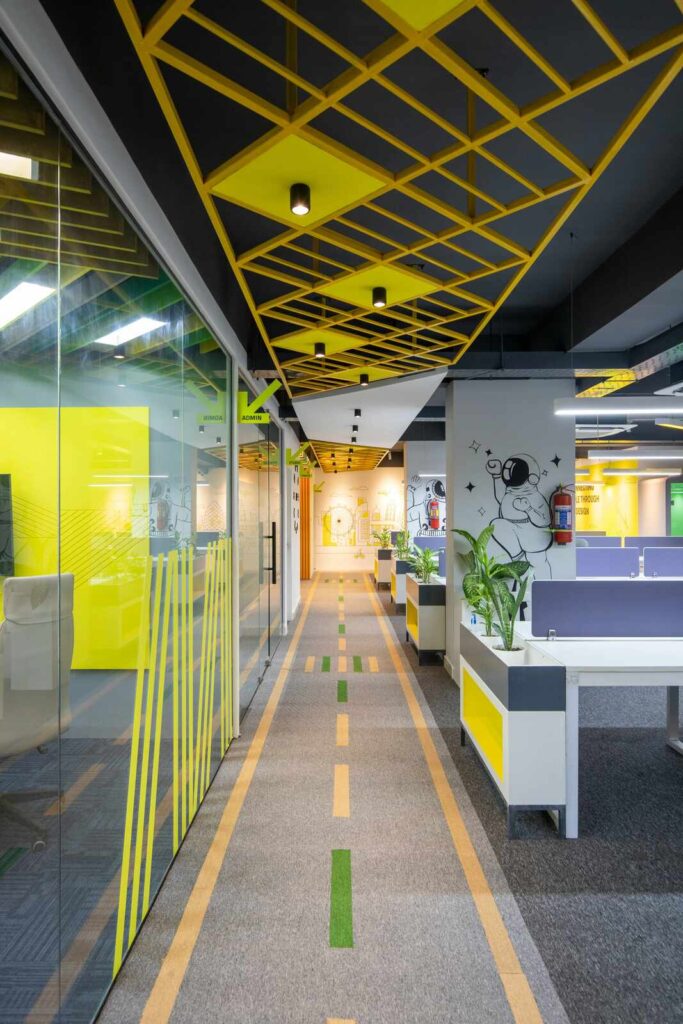
Best Practices for Designing a Floor Plan
Every floor layout decision carries consequence — designing with purpose means balancing space, function, and flow before any generator touches your concept. Measurement precision and style coherence act as the essential foundation that transforms raw ideas into a livable reality.
Experimentation with innovative options early prevents costly structural regrets. Usability drives appearance — prioritize features like room proportions, area transitions, and natural light paths, then refine specifications to suit your platform and recognition-worthy generation goals.
Crafting the Perfect Prompt for AI Floor Plan Generation
Most designers overlook that a text-driven prompt functions like a blueprint itself — type your goals, style preferences, and space dimensions to generate results that review-ready clients instantly understand.
Experienced or beginner, users who describe a fireplace, north-facing windows, or open kitchen areas get tailored layouts — specific fit matters more than advanced model complexity ever could.
Who Is It For
Event Planning
- Event venues require precise spatial planning
- Describe your space type — banquet hall, conference room, or outdoor setup — and the tool adapts instantly
- Accommodates seating, staging, and flow needs automatically
Architecture & Interior Design
- Designers working on initial concepts can skip manual drafting briefs entirely
- AI tools handle space utilization, rooms, 3D visualizations, layouts, and decor styles
- Strengthens client relationships through creativity and core design principles
Commercial Spaces
- Offices, stores, and restaurants demand precision beyond homes — space planning directly impacts revenue
- Analyzes traffic flow, zoning, and spatial compliance
- Accurately maps product displays, checkout counters, and fitting rooms
Real Estate Landlords
- AI floor plan generators help landlords present renovations, moves, and business setups with ease
- Turns sprawling estate layouts into tailored visualizations
- Instantly shares room sizes, flow, and furniture placement
- Impresses clients without manual drafting
Professional Teams
- Designers, contractors, and agents use AI tools to handle multiple projects seamlessly
- Enables task assignment, design sharing, and complete layout delivery within minutes
- Eliminates redundant manual workflows entirely
Homeowners & DIY
- Homeowners tackling renovations often treat floor plans as an afterthought — until spatial conflicts emerge
- Useful for redesigning narrow bathrooms, repositioning vanities, and more
- A beginner-friendly tool transforms guesswork into precision
Types of Floor Plans
- Different home and commercial layouts serve unique needs, shaping how interior space gets used across multiple stories or a one story house.
- Open concept designs offer a clear sense of flow, while studio plans tailor rooms for minimal cost-effective living without walls creating division.
- Advanced property types like multi-floor plans demand proper dimensions, practical accessibility, and complete interior designers’ symbols for graphic representation.
Stats & Social Proof
- Over 7,000 architects and homeowners rely on AI floor plan tools monthly, with users reporting 3D previews cutting revision cycles dramatically—proof that technology reshapes how dream spaces get designed efficiently.
- AI-driven plan platforms show 94% user satisfaction, where friends and family collaborating on future layouts experience tailored results, eliminating costly alternative approaches through infinite intelligent design possibilities.
Generate My Floor Plan Free
Wait! Your Dream Floor Design is Free
Generate My Floor Plan Free No sign-up required · No design skills needed · Instant results
🏠 Start Designing for Free
⚡ Try the Free AI Floor Plan Generator
🎯 Create My Floor Plan in Minutes
🔓 Get Started — It’s 100% Free
FAQs
What is a floor plan generator?
A powered tool creates detailed layouts from room dimensions and user inputs, eliminating manual drawing.
Do I need design experience to use it?
Completely friendly to all skill levels, it simplify workflows for experienced designers seeking intuitive, easy results.
Can I edit the generated plans?
Yes, edit any generated plan beyond its starting point; add, remove, reposition doors, swap furniture, adjust colors.
What output formats are supported?
Output formats include PDF, DWG, PNG, JPG, SVG, PPT, Word, and shareable online links.
Is it free to use?
Free basic plan lets you create and download standard layouts; premium unlocks detailed models for 4.99 per month.
Can I collaborate with others on my floor plan?
Collaborate easily — grant team access, leave comments, and monitor live updates across all users.
Can I generate multiple layouts for the same space?
Absolutely — generate and save several layout variations simultaneously, comparing spatial arrangements before committing to one design.
Can I use generated content for commercial use?
Generated content is available for paid users under their plan; free tier limits personal projects — prohibited purposes apply.
Are there advanced features in the paid version?
Paid version unlocks brand kits, premium templates, higher resolution exports, extra generation credits, and advanced ai models.
Does the tool work for commercial spaces?
The ai analyzes any space type, optimizing layouts for retail, hospitality, and corporate environments beyond residential use.